
Short answer: a CRM for a moving company is the one list where every quote request, estimate, booked move and finished job lives, with the source of each job and the next step on it. Off-the-shelf moving software suits many movers. A custom CRM suits a mover whose way of booking, crewing and following up does not fit a package.
What should a moving company CRM track?
- Every request, from every source. Website form, phone, marketplaces and lead providers, repeat customers and referrals, each job tagged with where it came from.
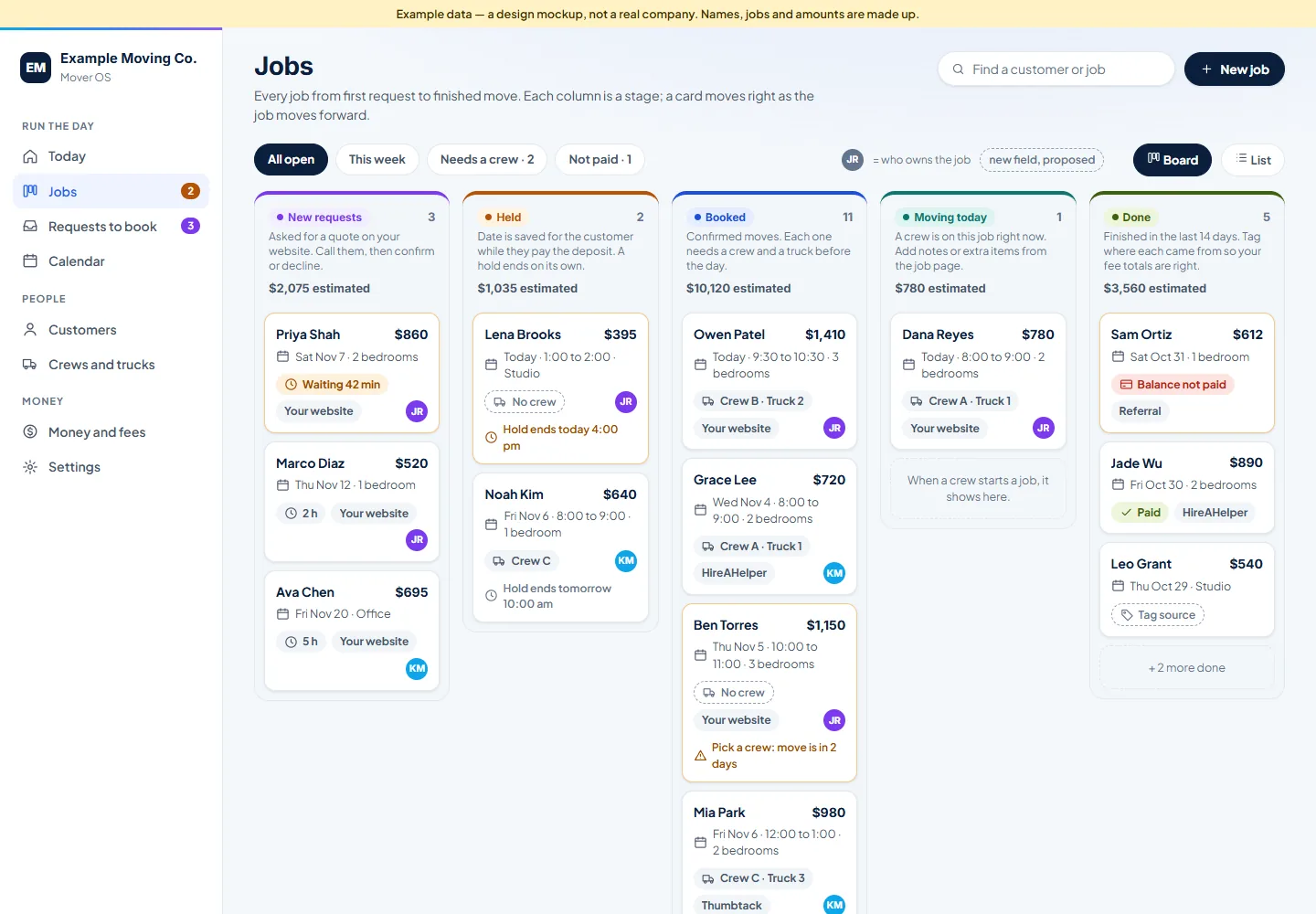
- Stages that match how you book. New request, estimate sent, held, booked, moving today, done. Each with a count and a total.
- Estimates and follow-up. When the estimate went out, when the next follow-up is due, and a stop the moment the customer replies.
- Crews and trucks by day. Who is on which move, and what is still open on the calendar.
- Payments and deposits. What is owed, what is paid, and what goes to your accounting software.
- Google review requests. Sent to every customer after a finished move, with private feedback offered alongside, never instead.
When does a custom CRM make sense for a mover?
Moving software packages are built for the common case, and many movers run well on them. A custom CRM is worth comparing when:
- Jobs come from several marketplaces and lead providers and you want each source and its fees on the job itself.
- Your estimate process has steps a package does not support, or you price in a way it cannot express.
- You already pay for several tools that do not talk to each other, and the office retypes the same job in two or three places.
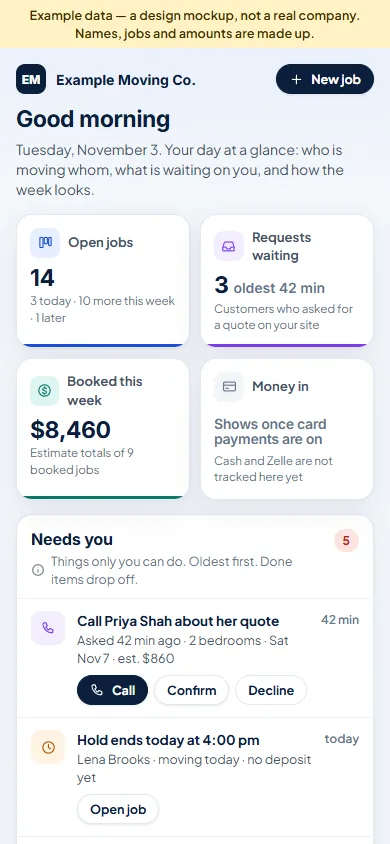
- You want the owner’s day on one screen: today’s moves by crew, requests waiting, and the few things only you can do.
It is not the right call when a package already fits and the team uses it well. In that case the better project is usually a cleaner website request path or estimate follow-up on top of what you have.
What we build: Mover OS
Mover OS is the system we set up for moving companies. It has a Today screen for the owner, a jobs board with every job tagged by source, estimate follow-up by email on day 1, 3, 7 and 14 in your wording, Google review requests after every move, and a phone view for the owner and crew leads. Each build is set up around the company: your stages, your crews, your wording and your sources.
It runs on accounts you own. Your customers, jobs and history stay yours, and you can export them at any time.
How a build works
- Ops Assessment. We map how jobs reach you, how they are quoted and booked, and where they stall. You get a one-page summary and a fixed-price build plan.
- Build. We set up the system around your process and move your current jobs and customers in.
- Launch. Your team works real jobs in it, with us on hand for the first weeks.
- Looked after monthly. Changes, new reports and fixes on request.
Questions
What is the best CRM for a small moving company?
The one that matches how you book. If your process fits a moving software package, SmartMoving, Supermove and MoverBase are built for movers; MoverBase publishes a free plan and paid plans, while SmartMoving and Supermove quote on request. If you run several lead sources, crews and follow-ups your own way, a custom CRM built around your process is worth comparing. Our comparison page lays the options side by side.
What does a custom CRM for a moving company cost?
We quote one fixed price per business after an Ops Assessment, based on what the system has to do. The build plan lists every piece and its price before any build work starts.
Who owns the data in a custom CRM?
You do. Your customers, jobs and history are yours and can be exported at any time. The CRM software is our platform, licensed to you, not sold.
Can a custom CRM work with the moving software I already use?
Often, yes. Where your current tools offer a way to connect, we connect them. Where they do not, we say so in the build plan before you commit.
More for moving companies
- Systems for moving companies (the overview)
- Moving company website design
- A custom CRM for a moving company
- CRM for small moving companies: SmartMoving vs Supermove vs MoverBase vs custom
- Moving lead sources alongside Thumbtack and HireAHelper
- What marketplace lead fees cost a moving company
- Following up on estimates